Apple’s Free Local LLM Is Hiding in macOS Terminal
On this page
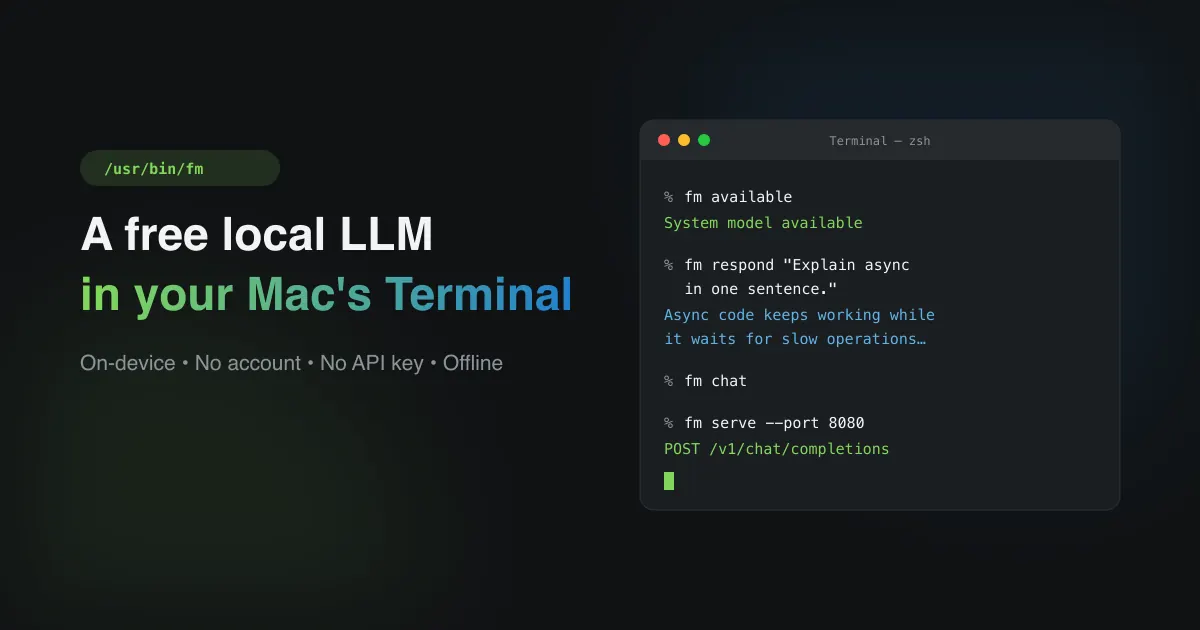
There's a working local AI model in your Mac's terminal that most people never notice — free, private, and requiring no account or API key. Here's how to find it and use it.
What This fm Tool Is#
Apple ships a native local Large Language Model with macOS. The command lives at /usr/bin/fm, and fm stands for Foundation Model.
It connects to the same on-device Apple Foundation Models that power Apple Intelligence — not a cut-down version, but Apple's actual model running locally in your shell.
Because it runs entirely on-device:
- No account needed
- No Ollama or other runtimes to install
- No API keys
- No internet required
Your data stays on the machine.
What You Need Before You Start#
| Requirement | Details |
|---|---|
| OS | macOS 27 or newer |
| Hardware | Apple Silicon (M1, M2, M3, M4) |
| Setting | Apple Intelligence enabled in System Settings |
It won't run on Intel Macs or older versions of macOS.
Turning It On#
The first time you use fm, the system checks that your model is active and asks you to accept Apple's license agreement.
Open Terminal (Command + Space, type Terminal, hit Return), then check the status:
fm available
If it prompts for a license, accept it:
fm license
Review the terms and type yes. That completes activation.
The Three Ways to Use It#
Apple divides fm into one-shot answers and longer interactive sessions.
Quick Answers — fm respond#
For a single prompt with output printed directly:
fm respond "Explain the concept of synchronous vs asynchronous programming in one sentence."
Longer Conversations — fm chat#
When you want the model to hold context across messages:
fm chat
It remembers your conversation history. Two things worth knowing inside it:
- Set its behavior up front with instructions:
bash
fm chat --instructions "Act as an expert senior code reviewer." - Sessions are saved automatically to
~/.fm/sessions/. Pick one up later withfm chat --resume <name>, or continue the most recent withfm chat --continue.
Count Your Tokens — fm count-tokens#
The local model has a small context window (4K–8K tokens), so long logs or documents will overflow it. Check the size before running something big:
fm count-tokens "Paste long sample log strings or text here to verify footprint"
Developer Workflows#
Since fm sits in /usr/bin/, it works with normal Unix tooling — you can pipe, script, and serve it like any other command.
Pipe Logs Into It#
Feed a file directly without copying:
fm respond --text "$(cat server_error.log)" "Extract the unique error codes and format them as a Markdown list."
The log goes in, structured output comes out.
Force Clean JSON Output#
Models tend to add conversational filler that breaks parsers when scripting. Use --schema to make it stick to a structure. fm schema writes the schema file for you:
fm schema object --name User --string username --int id > user.json
fm respond "Generate mock user data for testing" --schema user.json
You get consistent, machine-readable JSON.
Run It as a Local OpenAI Server#
If your apps already target the OpenAI API, you don't need to change anything — fm can serve requests directly:
fm serve --port 8080
It starts a local HTTP endpoint using the standard v1/chat/completions format. Point any OpenAI-compatible client at it and requests route to your Mac's hardware accelerators.
Know Its Limits#
It's fast and private, but not suited for everything:
| Capability | How It Performs |
|---|---|
| Context Window | 4,000–8,000 tokens max — keep prompts tight |
| Hardware | Apple Silicon Unified Memory + Neural Engine |
| Best At | Summarization, structured extraction, prose rewriting, quick classification |
| Struggles With | Heavy multi-step reasoning, complex math, long chained logic |
It's a solid tool for everyday text work. For harder reasoning problems, reach for something more capable.
The Bottom Line#
Apple includes a free, private, no-setup local LLM in your terminal — you just have to know where to look. It handles quick answers, log triage, structured JSON, and can even act as a drop-in OpenAI server, all without touching the internet. Worth setting up and experimenting with.
Loved this article? Subscribe below for more on AI, quantization, and cybersecurity — no spam, just the technical posts.
Keep reading
Where this fits
This article, its topic, and the closest related reading. See the full map →
- Why Quantized Small Models Will Dominate AI's Future — An Honest Take
- Fine-Tune an LLM on Your MacBook with LoRA: A Hands-On Guide
- 5 Essential Tools to Supercharge Your Claude Workflows
- Harness Engineering: The Harness Around the Brain
- Loop Engineering: The Brain Behind the Agent
- Fine-Tuning vs Retrieval-Augmented Generation (RAG): Choosing the Right Approach for Custom LLMs
Stay in the loop
New articles on AI, Cybersecurity, and PKI — delivered to your inbox.
No spam. Unsubscribe any time. By subscribing you agree to our Privacy Policy.